 Today's AI Tip
Retyping the same instructions in Gemini? Save them as a Gem.
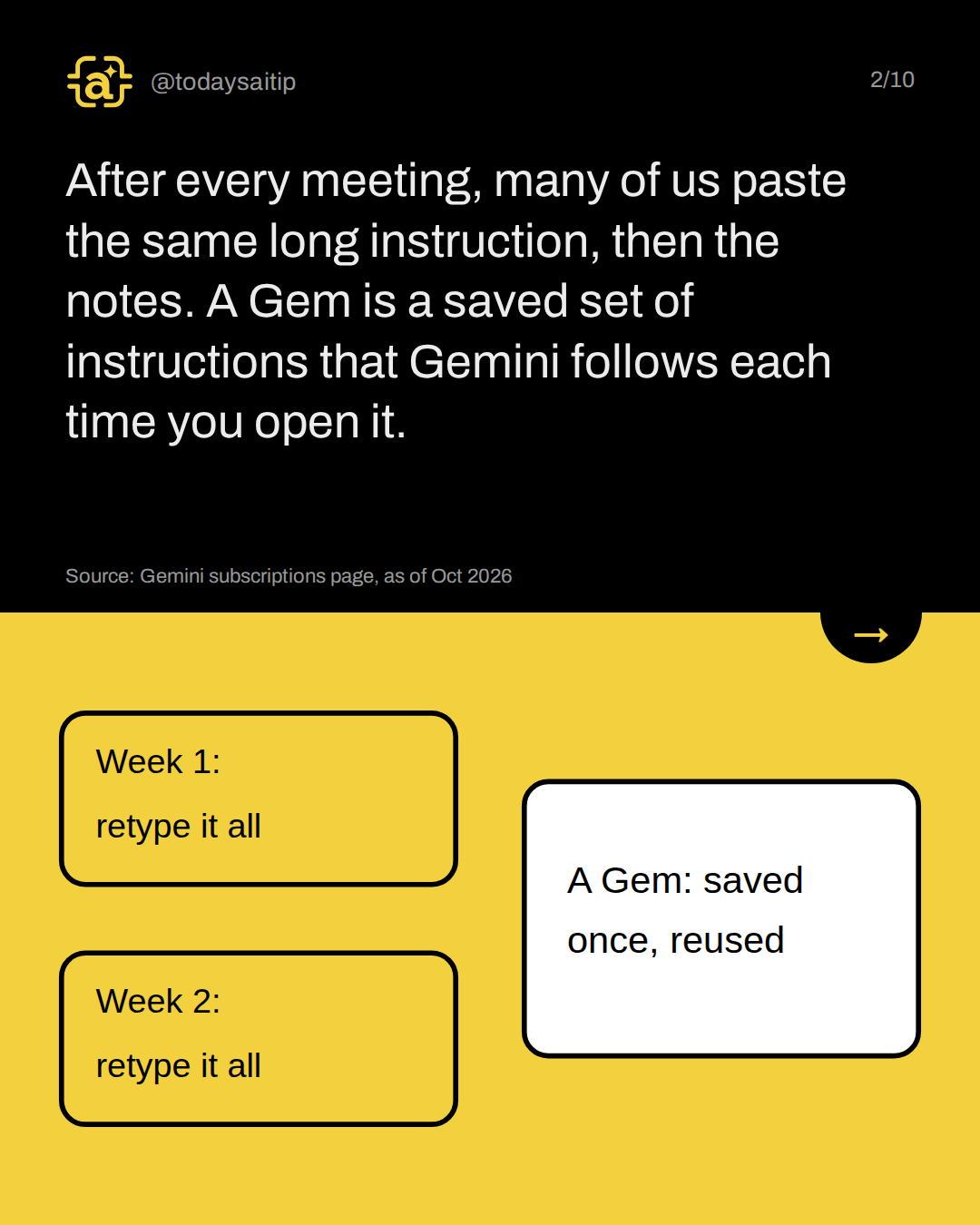
After every meeting, many of us paste the same long instruction, then the notes. A Gem is a saved set of instructions that Gemini follows each time you open it.
Source: Gemini subscriptions page, as of Oct 2026
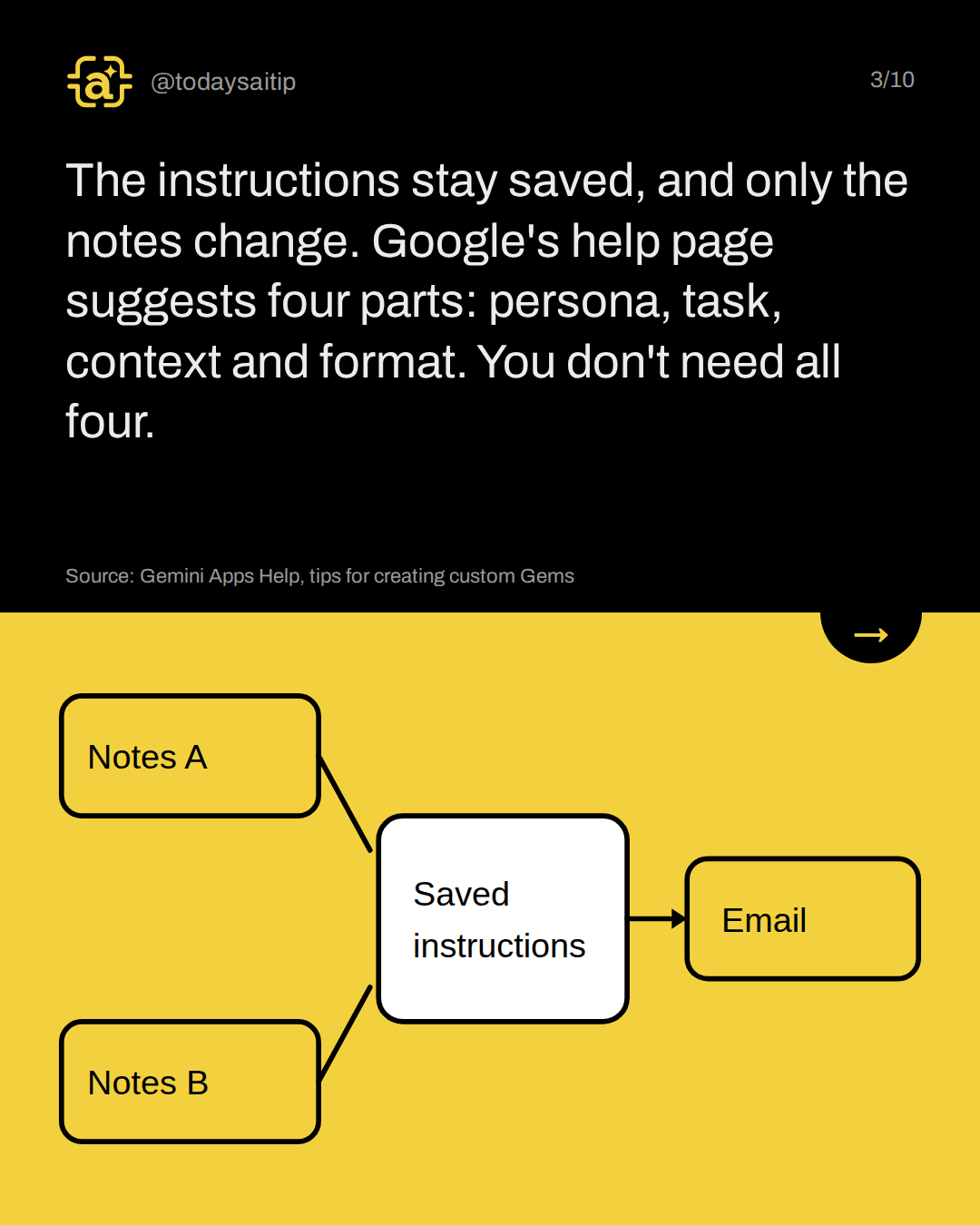
The instructions stay saved, and only the notes change. Google's help page suggests four parts: persona, task, context and format. You don't need all four.
Source: Gemini Apps Help, tips for creating custom Gems
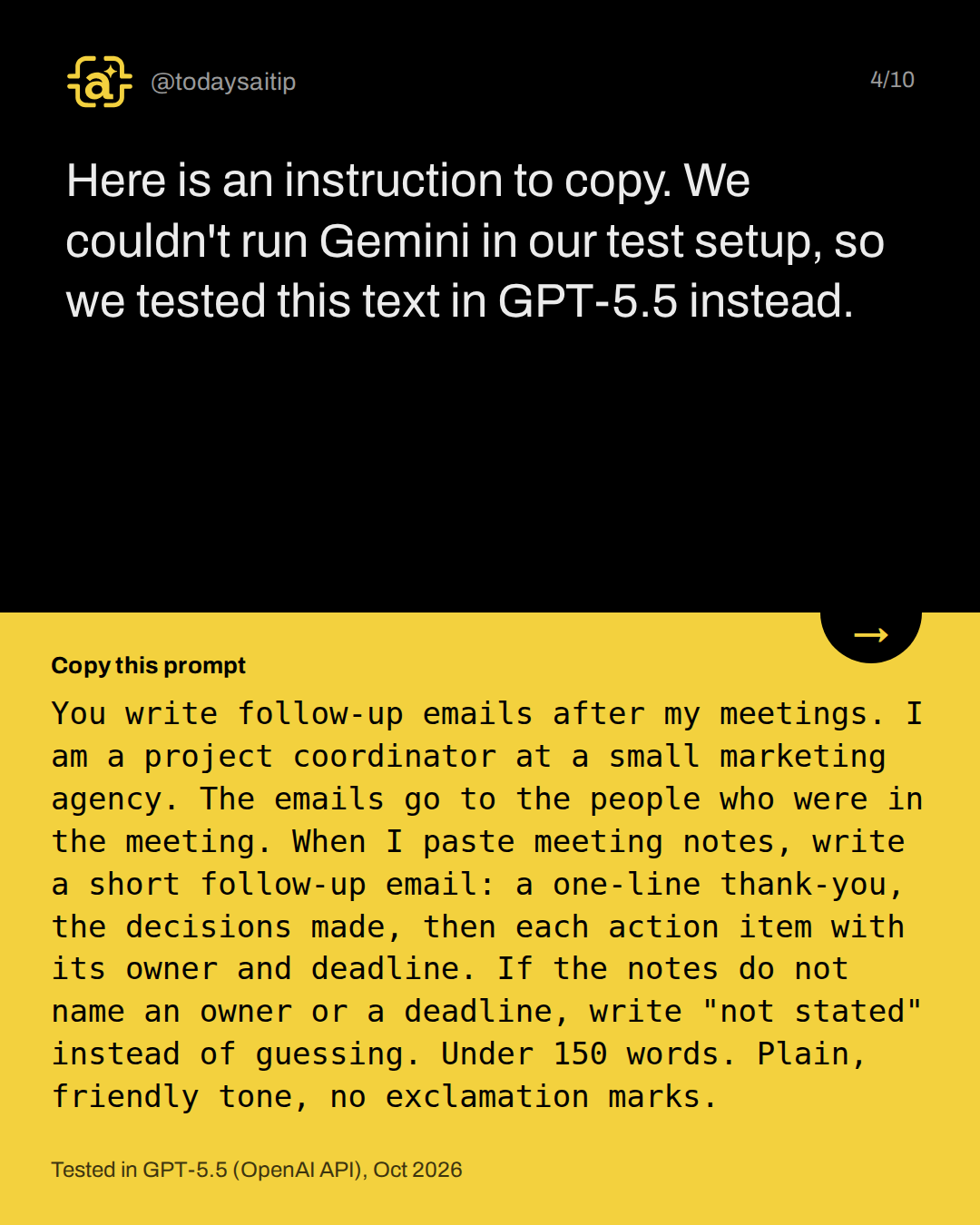
Tested in GPT-5.5 (OpenAI API), Oct 2026
Here is an instruction to copy. We couldn't run Gemini in our test setup, so we tested this text in GPT-5.5 instead.
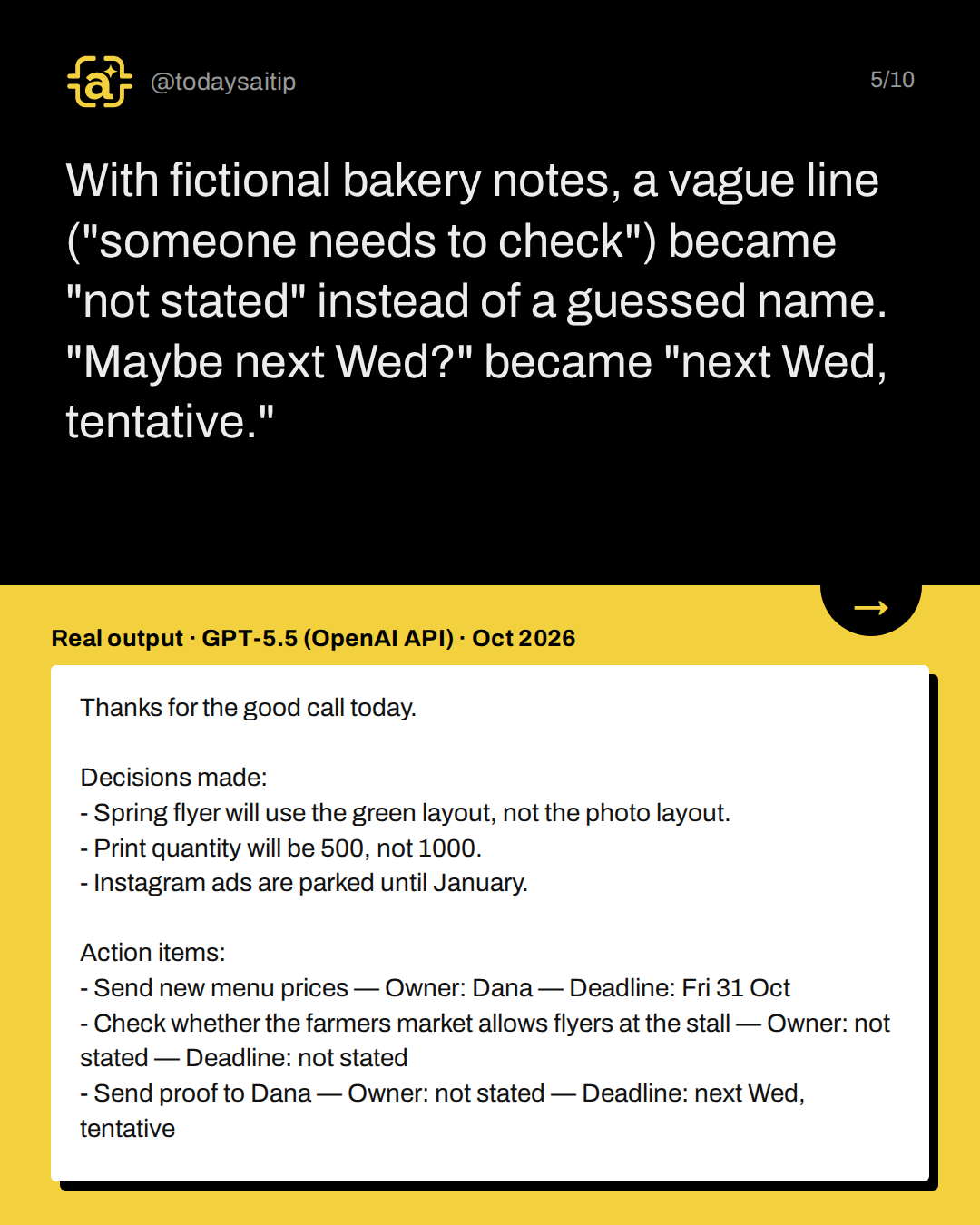
Real output · GPT-5.5 (OpenAI API) · Oct 2026
With fictional bakery notes, a vague line ("someone needs to check") became "not stated" instead of a guessed name. "Maybe next Wed?" became "next Wed, tentative."
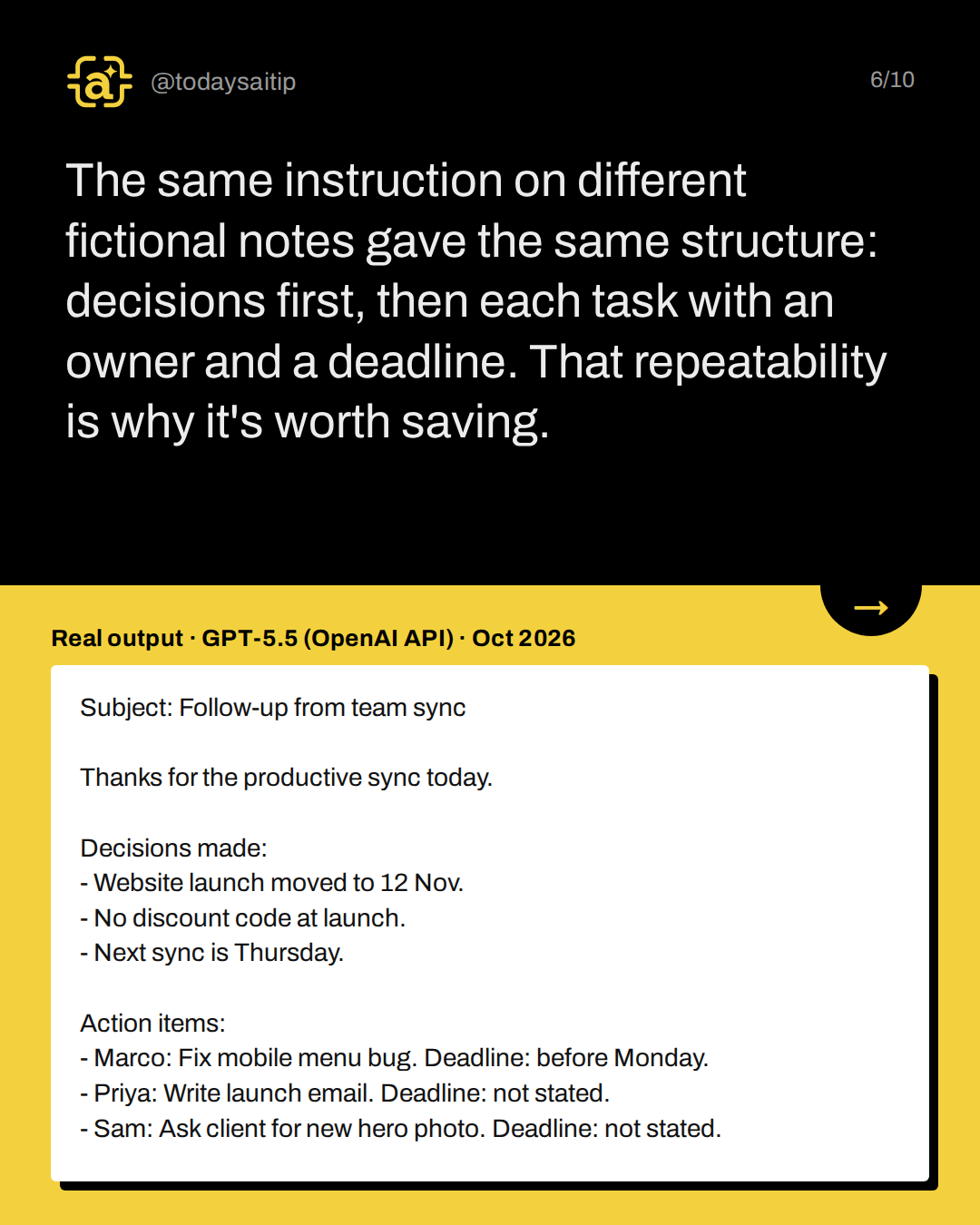
Real output · GPT-5.5 (OpenAI API) · Oct 2026
The same instruction on different fictional notes gave the same structure: decisions first, then each task with an owner and a deadline. That repeatability is why it's worth saving.
Both emails said "today"
The notes were dated 28 Oct and 29 Oct, yet both emails said "today." Only one got a subject line, and run 2 dropped why the launch moved. Add "Use the meeting date from the notes" and "Start with a subject line," then read before sending.
As of Oct 2026, build it on a computer at gemini.google.com: open Gems, choose New Gem, name it, paste the instructions, then Save. Your phone's Gemini app can use it, but not create it.
Try it: paste last week's notes into your new Gem.
Source: Gemini Apps Help, Use Gems in Gemini Apps
Personal accounts need to be 13+ (or your country's age). Work or school accounts may differ. Remove names, account numbers and other personal details first, and check Google's data policy or your employer's approved tools before pasting real notes.
Source: Gemini Apps Help, Use Gems in Gemini Apps
Sources and assumptions
- Google Gemini subscriptions page (gemini.google/subscriptions): 'Gems' is listed among the Free plan features (with Flash-Lite model, Deep Research, Gemini Live, Canvas); footnote 'Rate limits may apply'; paid plans give higher usage than Free (checked 2026-10-30)
- Gemini Apps Help: Use Gems in Gemini Apps (Android): 'You can only create, edit, or delete custom Gems in the Gemini web app. You can use Gems in the Gemini web and mobile apps.' Mobile steps: open the Gemini app, Menu, Gems, tap the Gem, type your prompt (checked 2026-10-30)
- Gemini Apps Help: Use Gems in Gemini Apps (computer): 'To create and use Gems with a personal Google Account, you must also be 13 (or the applicable age in your country) or over'; work or school accounts may be subject to different terms; create steps at gemini.google.com: Gems, New Gem, enter a name and instructions, optional files under Knowledge, Save (checked 2026-10-30)
- Gemini Apps Help: Get started with Gems, tips for creating custom Gems: Instruction tips: Persona 'Tell your Gem what role to play and how to respond', Task 'Tell the Gem what you want Gemini to do or create', Context 'Provide as much background as possible', Format 'Be specific when specifying desired structure'; 'You don't need to use all four, but using a few will help.' (checked 2026-10-30)
Assumptions:
- The instruction text was tested in GPT-5.5 through the OpenAI API, not inside a Gemini Gem. Our test tool (engine/ai-test.js) cannot run Gemini, and the Claude runs failed in this session. Slides must say this and must not show any output as Gemini's.
- tests.json also holds two Claude entries (ids gem-run-1 and gem-run-2, tool 'claude') with output null because the CLI call failed. Only the chatgpt entries with real outputs may be quoted.
- Both sample meeting notes are fictional (Harbor Lane Bakery, Dana, Priya, Marco, Sam).
- Gemini Free plan rate limits are not stated as numbers on Google's page; slides should not quote any limit.
- Google's help page says 13+ for personal accounts; the idea queue's 18+ note came from press coverage and is not used.
- Feature details are checked as of 30 Oct 2026; slides say 'as of Oct 2026'.
The short version
- Save the instruction once as a Gem
- Paste only the meeting notes
- Check dates and owners before sending
- Remove personal details first