 Today's AI Tip
GPT-5.5 said '0 missing' when a customer was missing. Make it count.
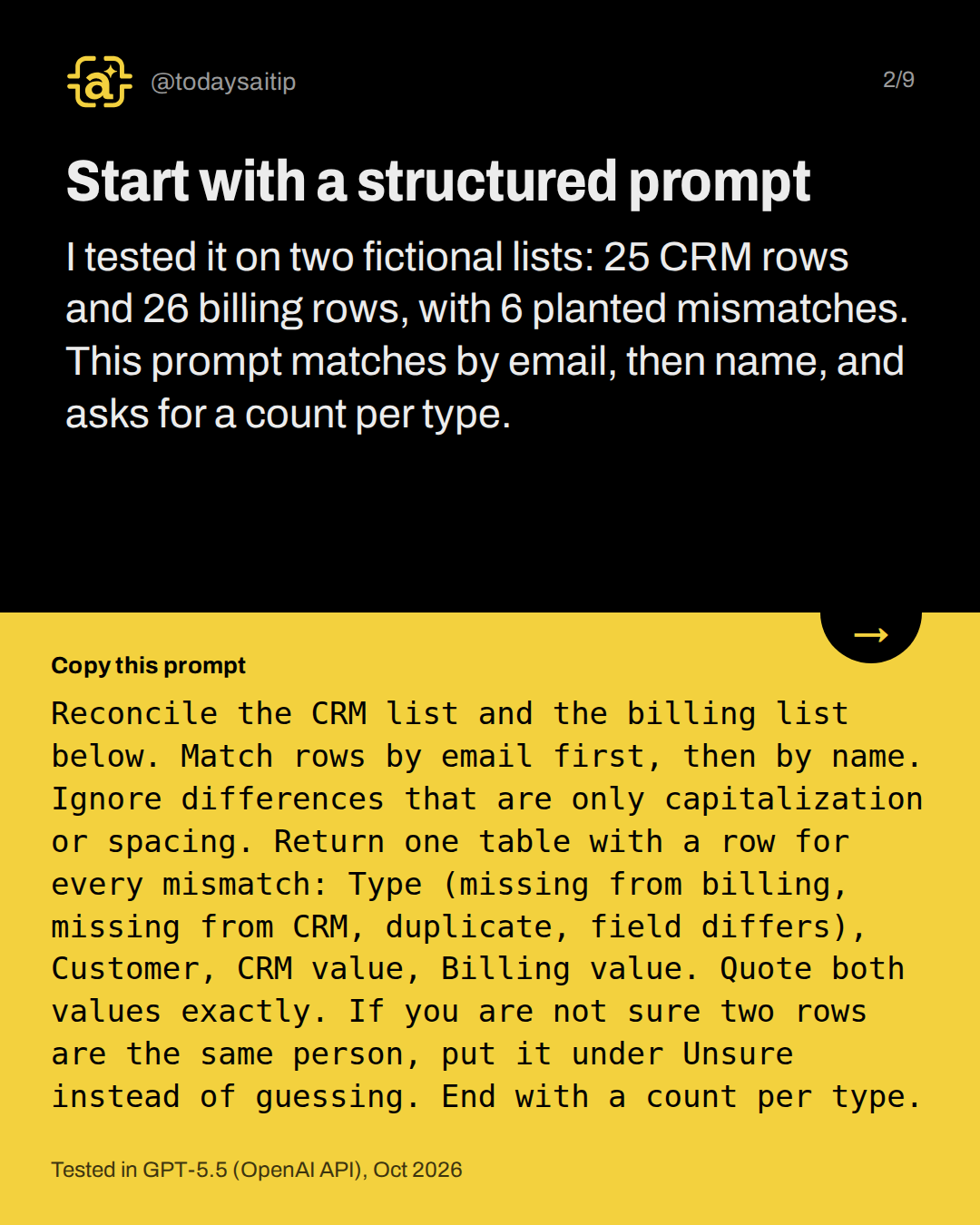
Start with a structured prompt
Tested in GPT-5.5 (OpenAI API), Oct 2026
I tested it on two fictional lists: 25 CRM rows and 26 billing rows, with 6 planted mismatches. This prompt matches by email, then name, and asks for a count per type.
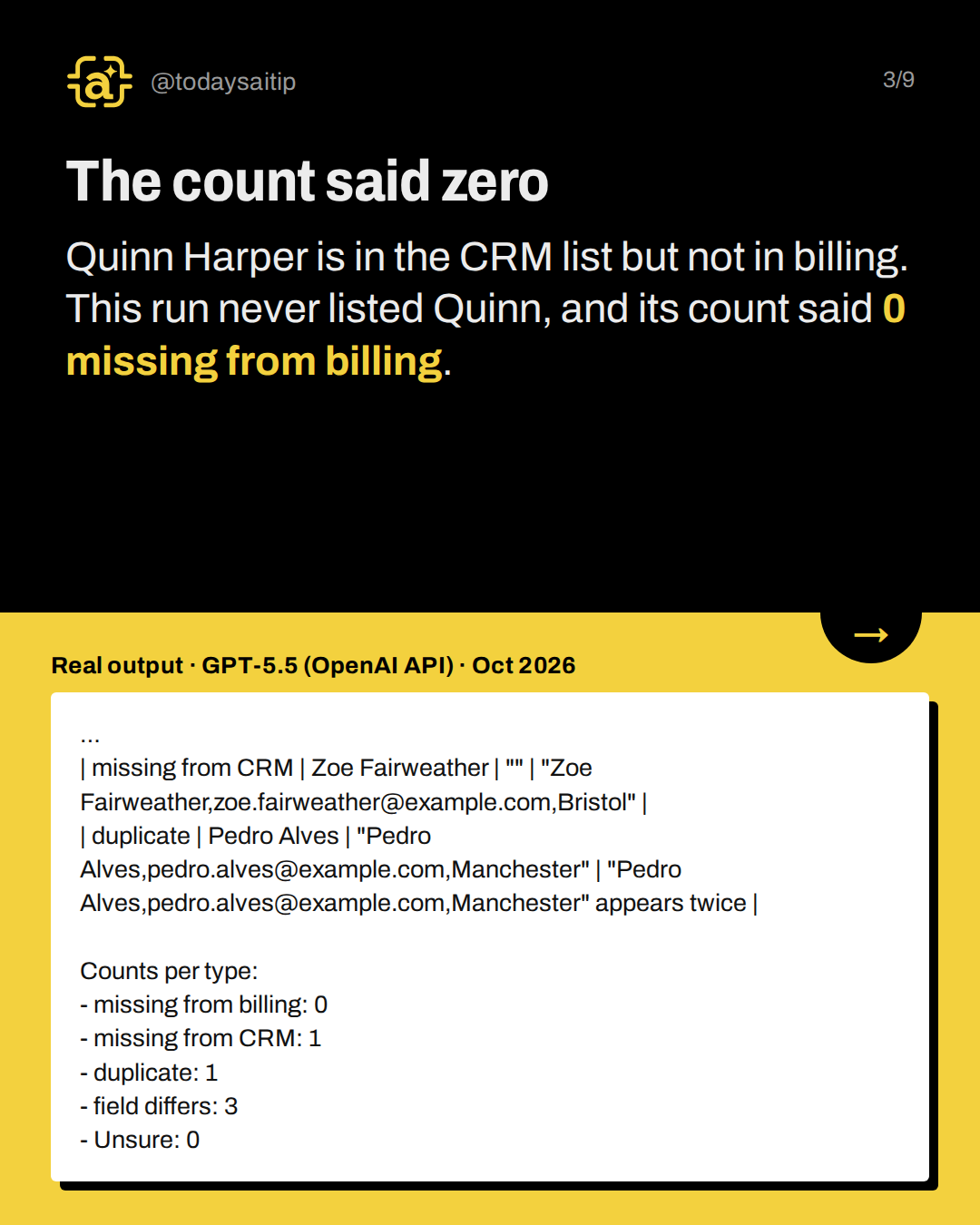
The count said zero
Real output · GPT-5.5 (OpenAI API) · Oct 2026
Quinn Harper is in the CRM list but not in billing. This run never listed Quinn, and its count said 0 missing from billing.
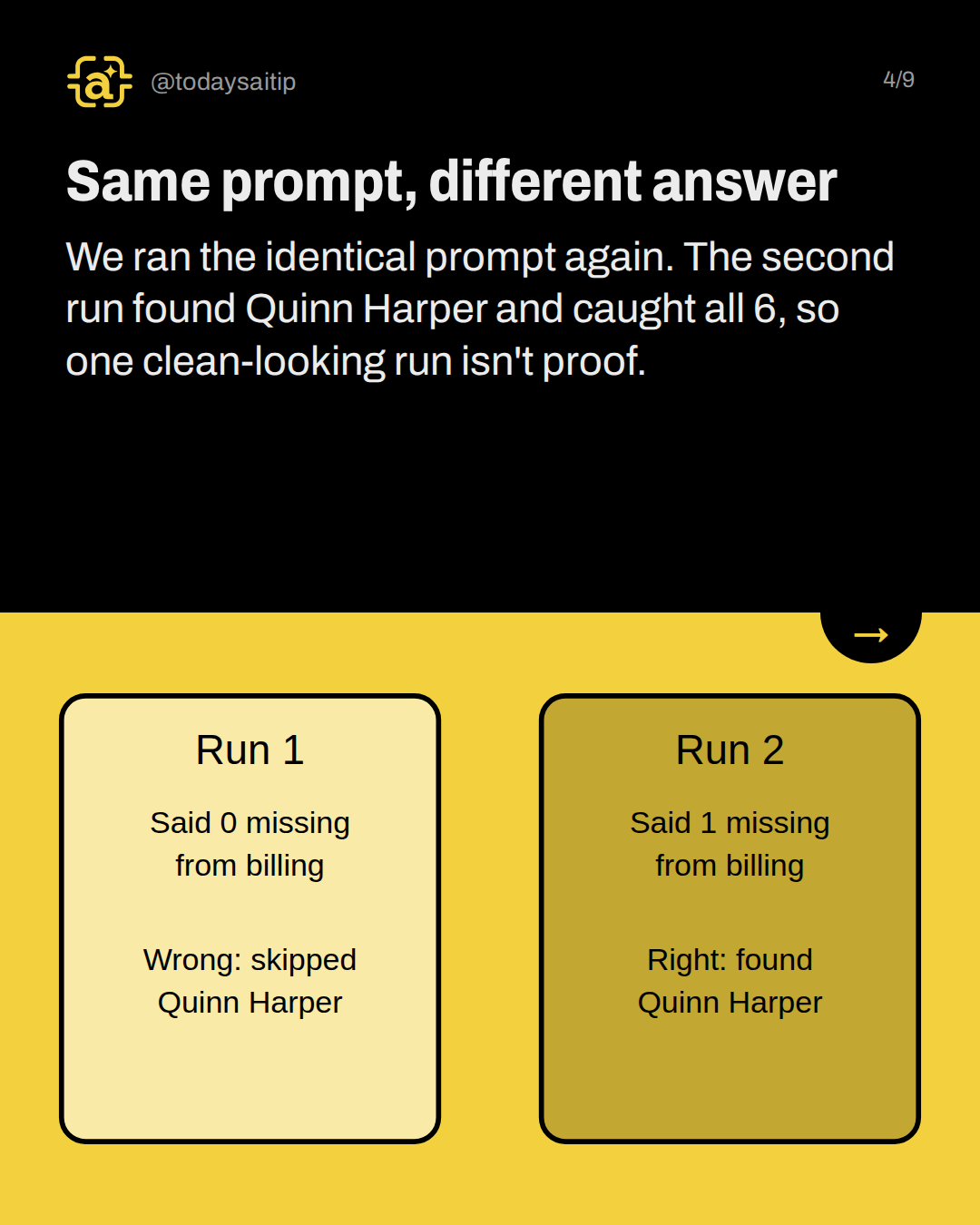
Same prompt, different answer
We ran the identical prompt again. The second run found Quinn Harper and caught all 6, so one clean-looking run isn't proof.
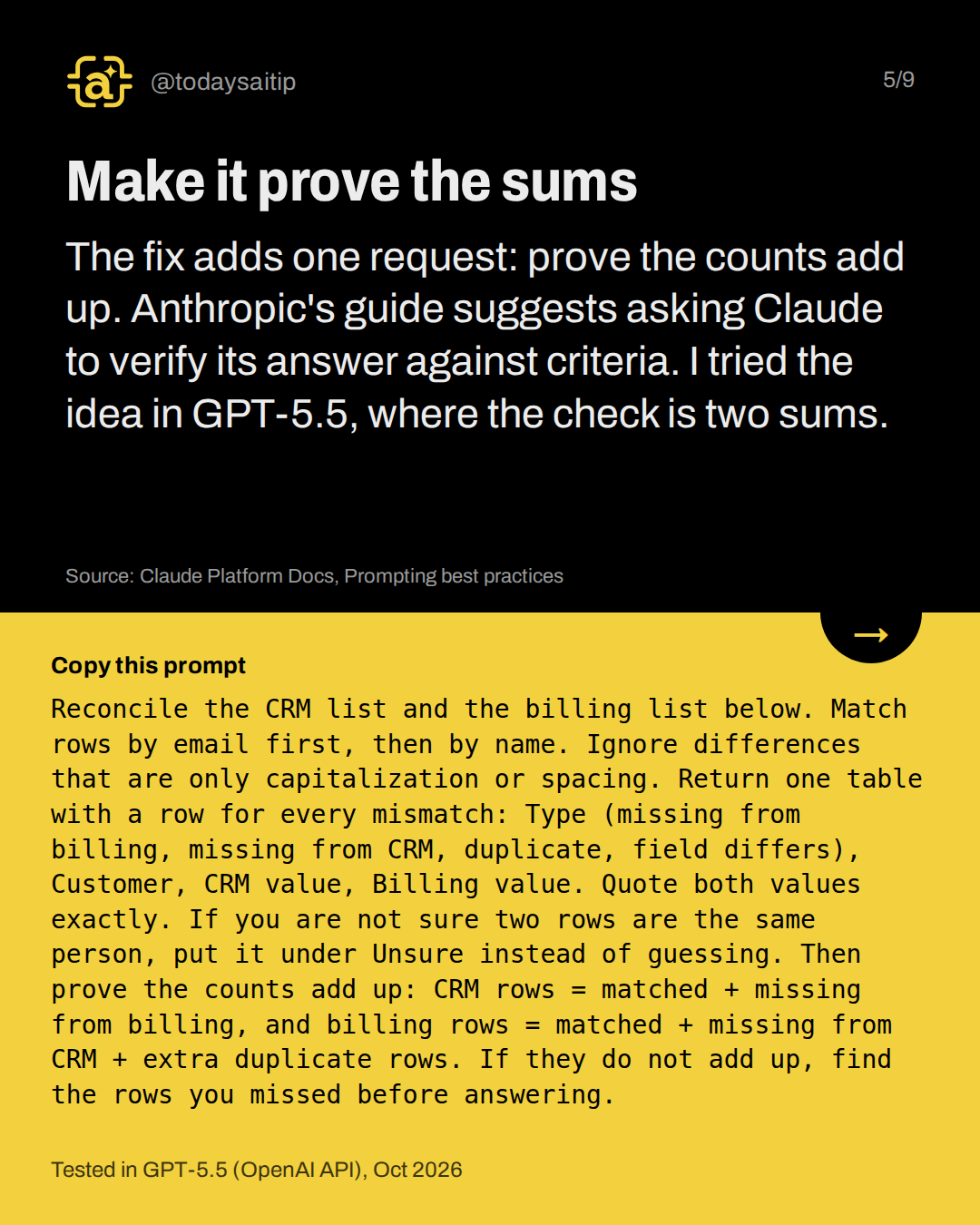
Make it prove the sums
Tested in GPT-5.5 (OpenAI API), Oct 2026
The fix adds one request: prove the counts add up. Anthropic's guide suggests asking Claude to verify its answer against criteria. I tried the idea in GPT-5.5, where the check is two sums.
Source: Claude Platform Docs, Prompting best practices
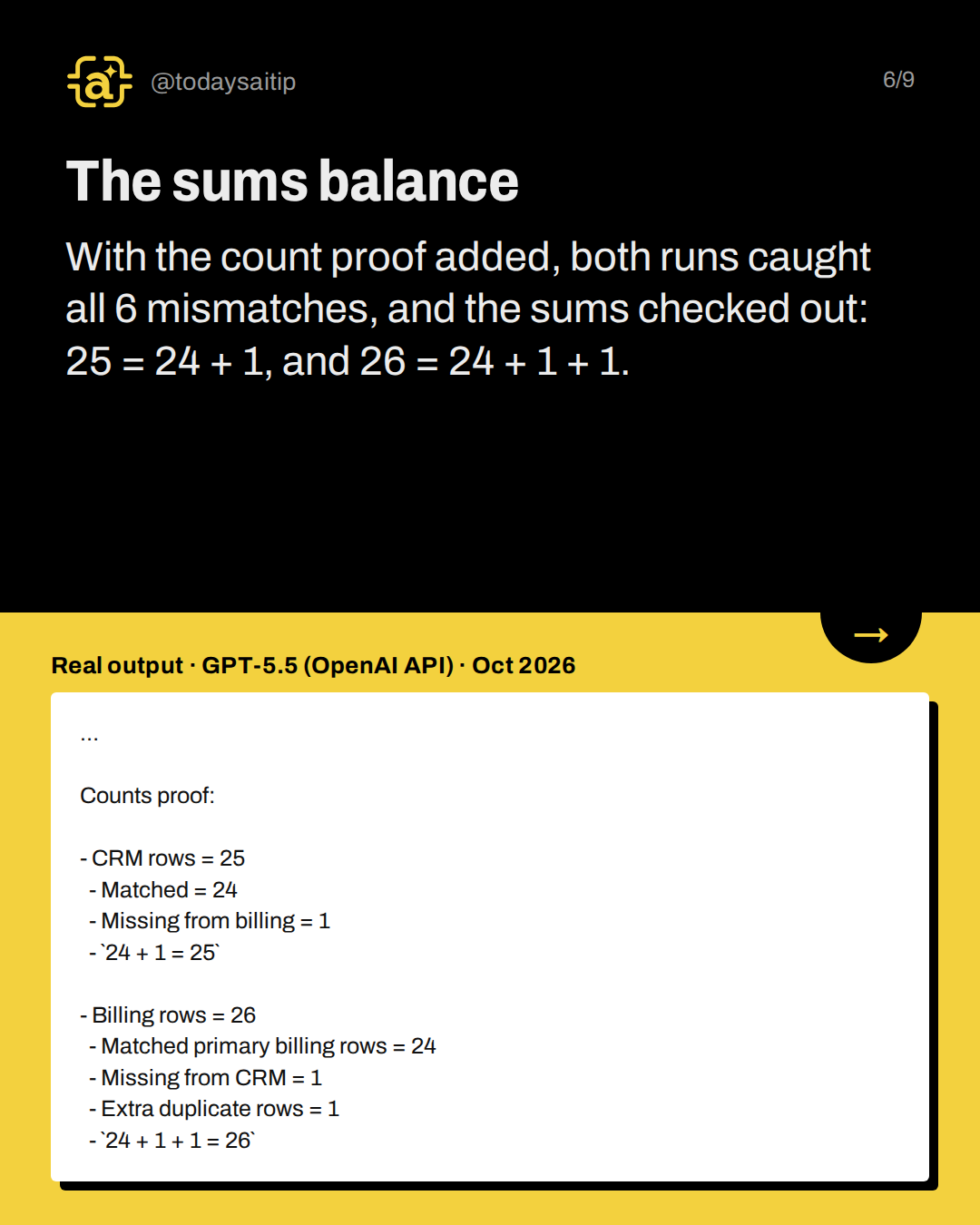
The sums balance
Real output · GPT-5.5 (OpenAI API) · Oct 2026
With the count proof added, both runs caught all 6 mismatches, and the sums checked out: 25 = 24 + 1, and 26 = 24 + 1 + 1.
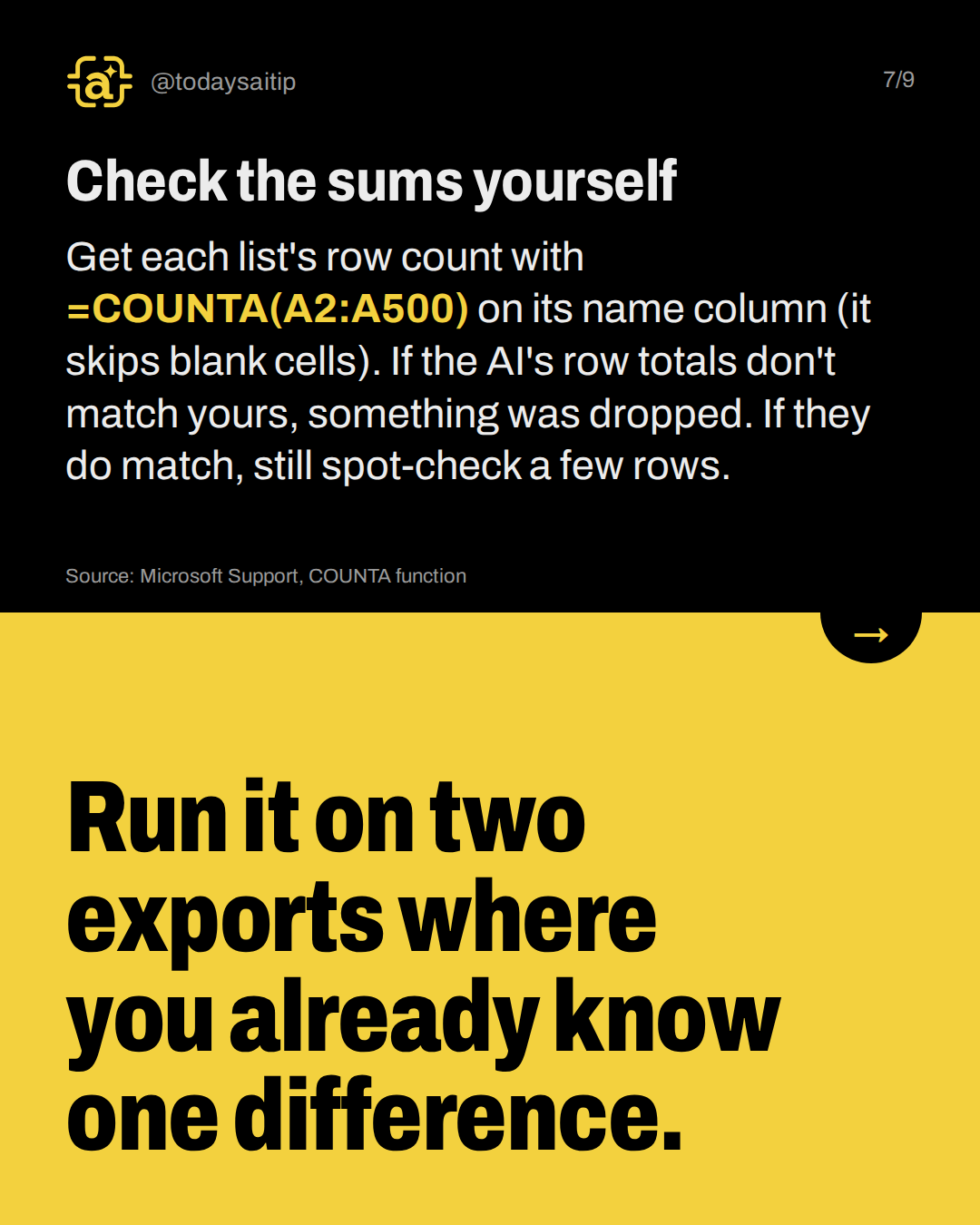
Check the sums yourself
Get each list's row count with =COUNTA(A2:A500) on its name column (it skips blank cells). If the AI's row totals don't match yours, something was dropped. If they do match, still spot-check a few rows.
Try it: Run it on two exports where you already know one difference.
Source: Microsoft Support, COUNTA function
Know the limits
Two runs is not a guarantee. Match on a shared customer ID, not names. Remove names, account numbers and other personal details first, and check the tool's data policy or your employer's approved tools before uploading real documents.
Sources and assumptions
- Claude Platform Docs, Prompting best practices ('Ask Claude to self-check'): Quoted: 'Ask Claude to self-check. Append something like "Before you finish, verify your answer against [test criteria]." This catches errors reliably, especially for coding and math.' This is Anthropic's guidance for Claude; the post applies the principle and tested it in GPT-5.5, and must not claim OpenAI documents it. (checked 2026-10-05)
- OpenAI API docs, GPT-5.5 model page: GPT-5.5 is available in the API; default snapshot gpt-5.5-2026-04-23; reasoning.effort default is medium (the setting our runs used, since ai-test.js sends no effort parameter) (checked 2026-10-05)
- Microsoft Support, COUNTA function: 'The COUNTA function counts the number of cells that are not empty in a range'; syntax COUNTA(value1, [value2], ...), e.g. =COUNTA(A2:A6). This supports the reader's own row-count check. (checked 2026-10-05)
Assumptions:
- Both lists are fictional (example.com emails, invented names, UK cities); the answer key was planted by the researcher: 6 real mismatches plus 1 capitalization-only decoy.
- All five scored runs used GPT-5.5 via the OpenAI API (Chat Completions, default settings: reasoning effort medium, no system message) on 2026-10-05 local time (logged 2026-10-06 ~02:15 UTC). Label: 'GPT-5.5 (OpenAI API), Oct 2026'.
- Claude runs were attempted (ids 'before' and 'after' in tests.json) but the claude CLI failed in this environment and produced no output. The post must not claim any Claude result.
- Scores: before-gpt (vague prompt) caught 6/6, missed 0, and also listed the Jaya Patel capitalization difference (noise, not an error, since that prompt never said to ignore case). after-gpt caught 5/6, missed Quinn Harper and reported 'missing from billing: 0', with 0 false flags. after-gpt-rerun (identical prompt) caught 6/6 with 0 false flags. count-check-1 and count-check-2 each caught 6/6 with 0 false flags and correct sums (25 = 24 + 1; 26 = 24 + 1 + 1).
- The vague prompt did not do worse at catching mismatches in this test; the structured prompt's gains are a sortable table, skipping case-only noise, and an explicit count. The slides must not claim the vague prompt missed things.
- With 2 runs each, nothing here is a reliability rate; the honest claim is 'the same prompt gave different answers, and the count proof caught all 6 in both runs we did'.
- Treating capitalization-only email differences as the same is a practical choice for this list, not a universal email rule.
The short version
- The same prompt gave two different answers.
- Ask the AI to prove the row counts add up.
- Compare its sums with your own COUNTA counts.
- Remove personal details before pasting real data.