 Today's AI Tip
A missing region quietly paid $250. One prompt line flagged it.

Asking 'explain this' only goes so far
The usual move is pasting the formula and asking 'Explain this formula in plain English.' On our fictional sheet of four reps, that gave a correct walkthrough of what it does, not whether that's what the author meant.
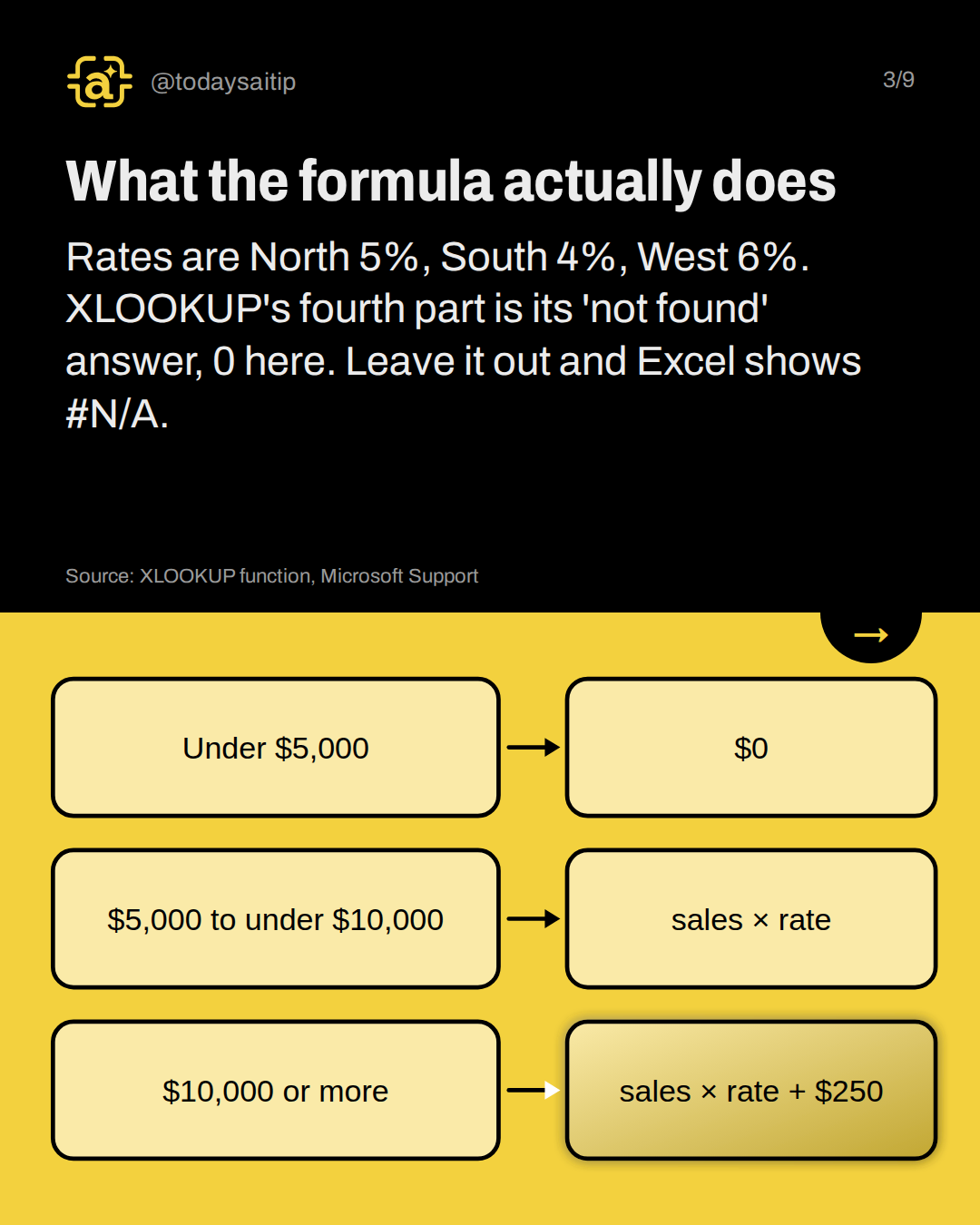
What the formula actually does
Rates are North 5%, South 4%, West 6%. XLOOKUP's fourth part is its 'not found' answer, 0 here. Leave it out and Excel shows #N/A.
Source: XLOOKUP function, Microsoft Support
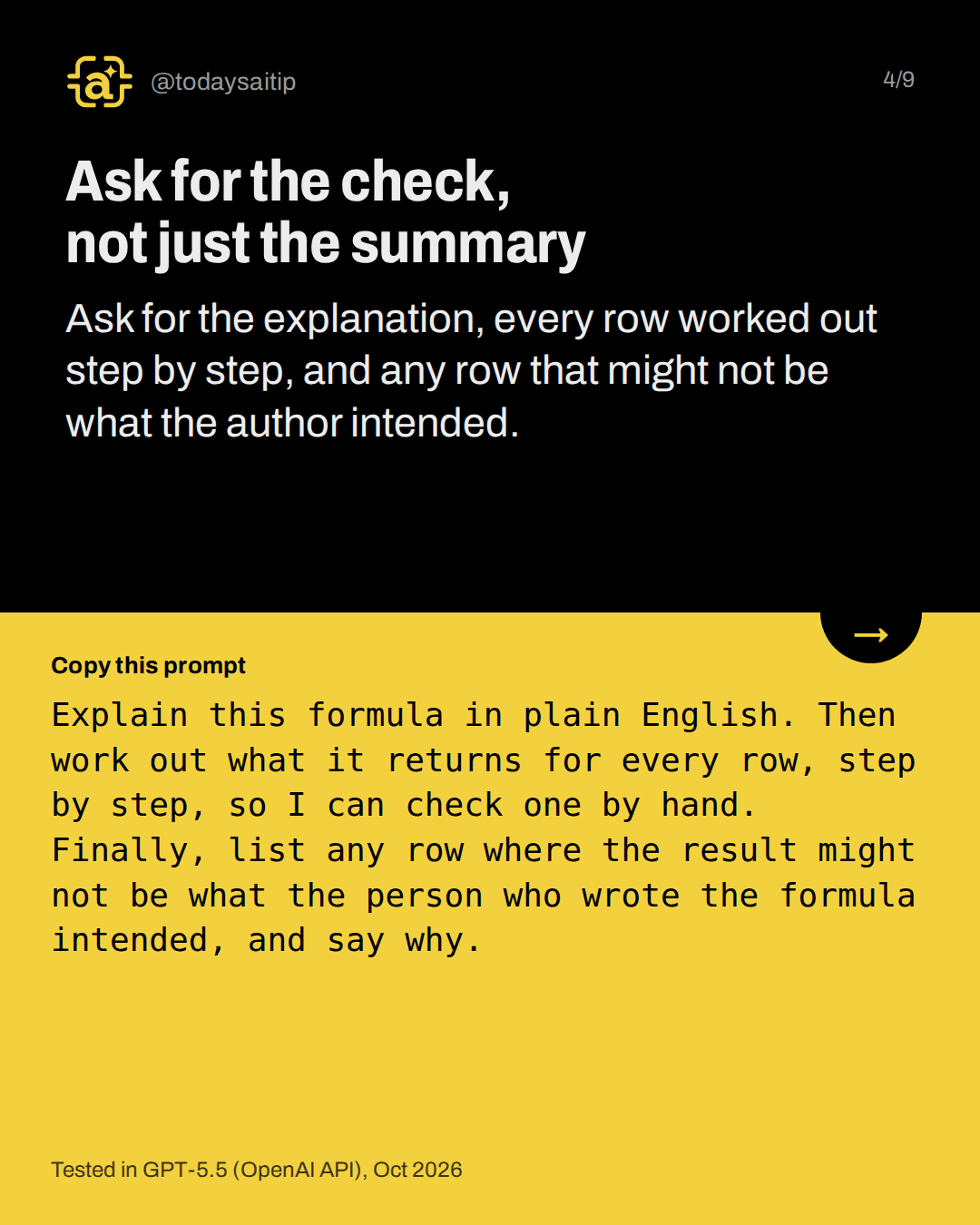
Ask for the check, not just the summary
Tested in GPT-5.5 (OpenAI API), Oct 2026
Ask for the explanation, every row worked out step by step, and any row that might not be what the author intended.
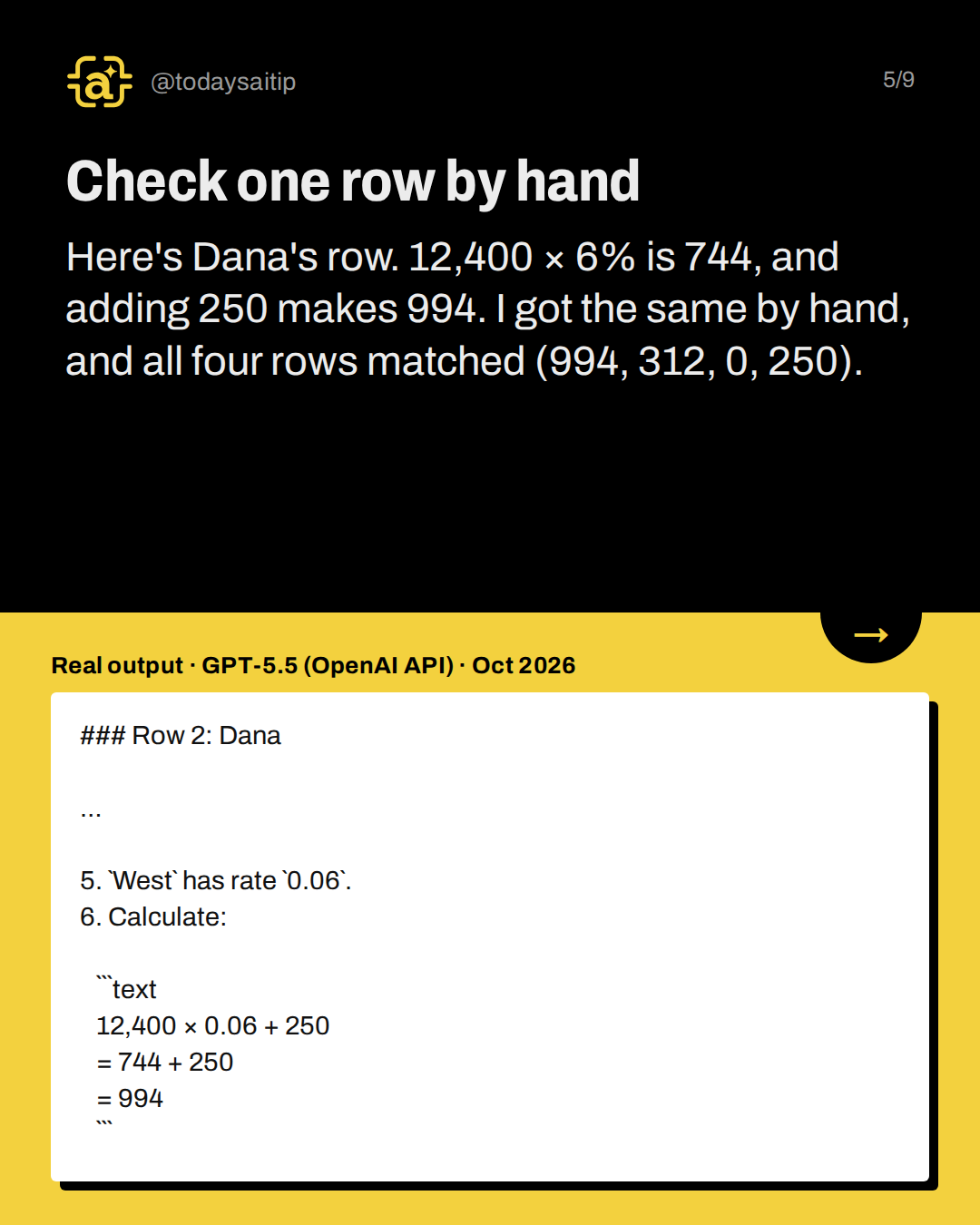
Check one row by hand
Real output · GPT-5.5 (OpenAI API) · Oct 2026
Here's Dana's row. 12,400 × 6% is 744, and adding 250 makes 994. I got the same by hand, and all four rows matched (994, 312, 0, 250).
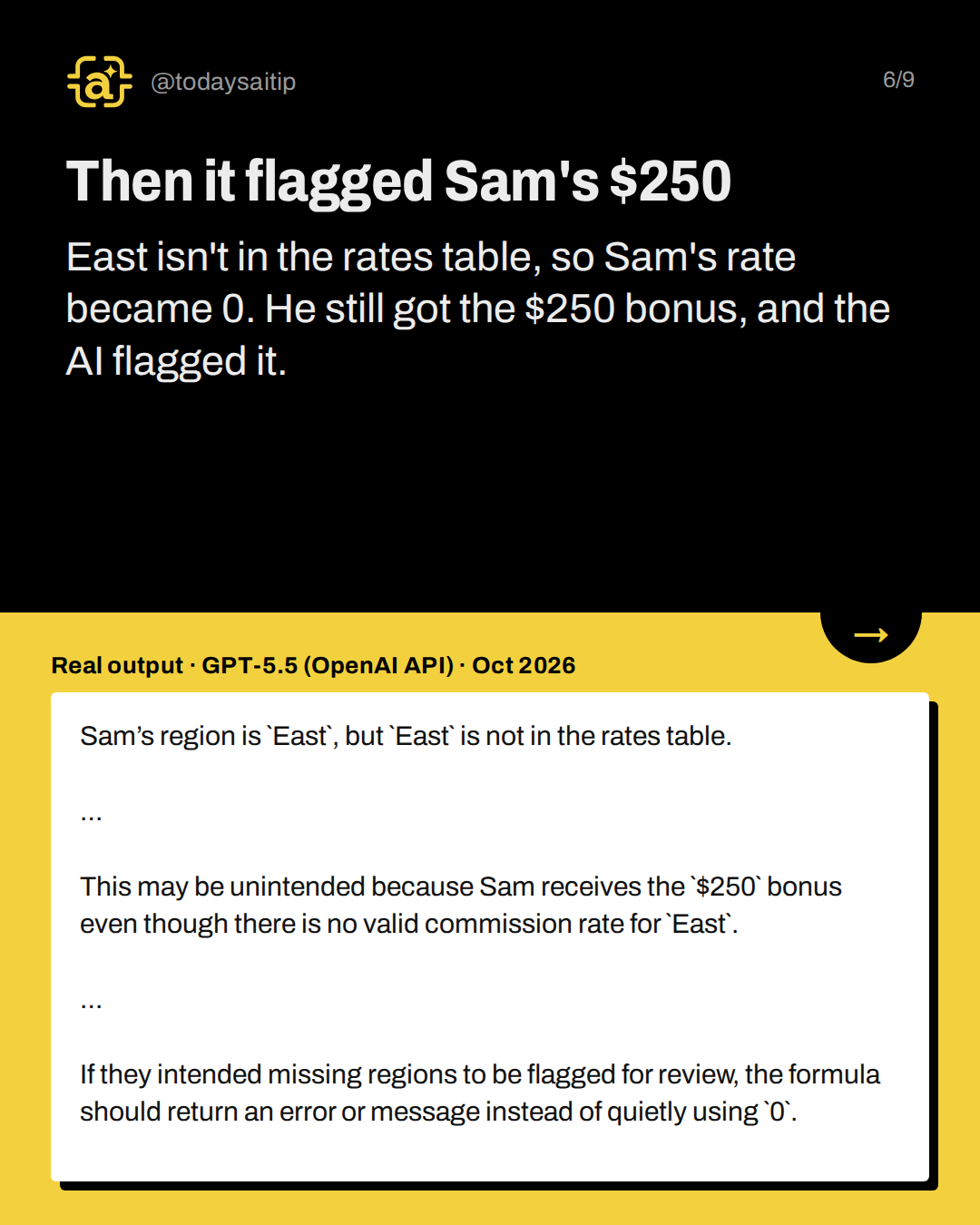
Then it flagged Sam's $250
Real output · GPT-5.5 (OpenAI API) · Oct 2026
East isn't in the rates table, so Sam's rate became 0. He still got the $250 bonus, and the AI flagged it.
Plain 'explain this' missed the question
The plain prompt was also correct and mentioned East, but it did not say the $250 might be a mistake. That was one run each. The AI only sees what you paste, so check a real row.
Try it, but remove personal details
Remove names, account numbers and other personal details first, and check the tool's data policy or your employer's approved tools before uploading real documents.
Try it: Paste a formula and 3 to 5 made-up rows, then recalculate one by hand.
Sources and assumptions
- XLOOKUP function, Microsoft Support: Syntax =XLOOKUP(lookup_value, lookup_array, return_array, [if_not_found], [match_mode], [search_mode]); the first three arguments are required; if a valid match is not found, the if_not_found value you supply is returned, and #N/A is returned if it's omitted; XLOOKUP is in Excel for Microsoft 365, Excel 2024 and Excel 2021, not Excel 2016/2019 (checked 2026-10-07)
- IF function, Microsoft Support: IF(logical_test, value_if_true, value_if_false); value_if_true and value_if_false can be further formulas (nesting) (checked 2026-10-07)
Assumptions:
- The sales sheet, names, regions, rates and the $250 bonus are fictional sample material written for this test.
- The values 994, 312, 0 and 250 were calculated by hand from Microsoft's documented IF and XLOOKUP behavior; the sheet was not opened in Excel (no spreadsheet program on the research machine). Hand math: 12,400×0.06=744, +250=994; 7,800×0.04=312; 4,900<5,000 → 0; East not found → rate 0, 11,000×0+250=250.
- All three runs used GPT-5.5 via the OpenAI API on 2026-10-07 (US time; logged 2026-10-08 UTC). A Claude run was attempted but failed in this research session because the nested claude -p call was blocked, so it was not recorded. Slides must name only GPT-5.5 (OpenAI API) as tested.
- The prompt explains the formula text and sample rows you paste; the AI cannot see the real sheet, so problems like hidden spaces in region names are outside what was tested (state as a reason to hand-check, not as a tested result).
- XLOOKUP needs Excel for Microsoft 365, Excel 2024 or Excel 2021.
The short version
- A correct explanation can skip a possible mistake.
- Ask which rows might not be intended.
- Have it work out every row step by step.
- Then recalculate one row yourself.